
Reading documents: text, tables and forms out of a scan
Optical character recognition (OCR) turns a scan, a photo of a page or a PDF into text. Document services also return the layout: which word sits in which table cell and form field.


 T
TWhat is OCR, and what is document understanding?
Plain OCR finds the characters on a page. Document understanding services go further: they keep the structure, so a table comes back as a table and a form comes back as field names with values. Handwriting is supported by the larger services.
When the document is already structured, such as a CSV or a clean export, it needs a parser, not a model.
Four ways to run it
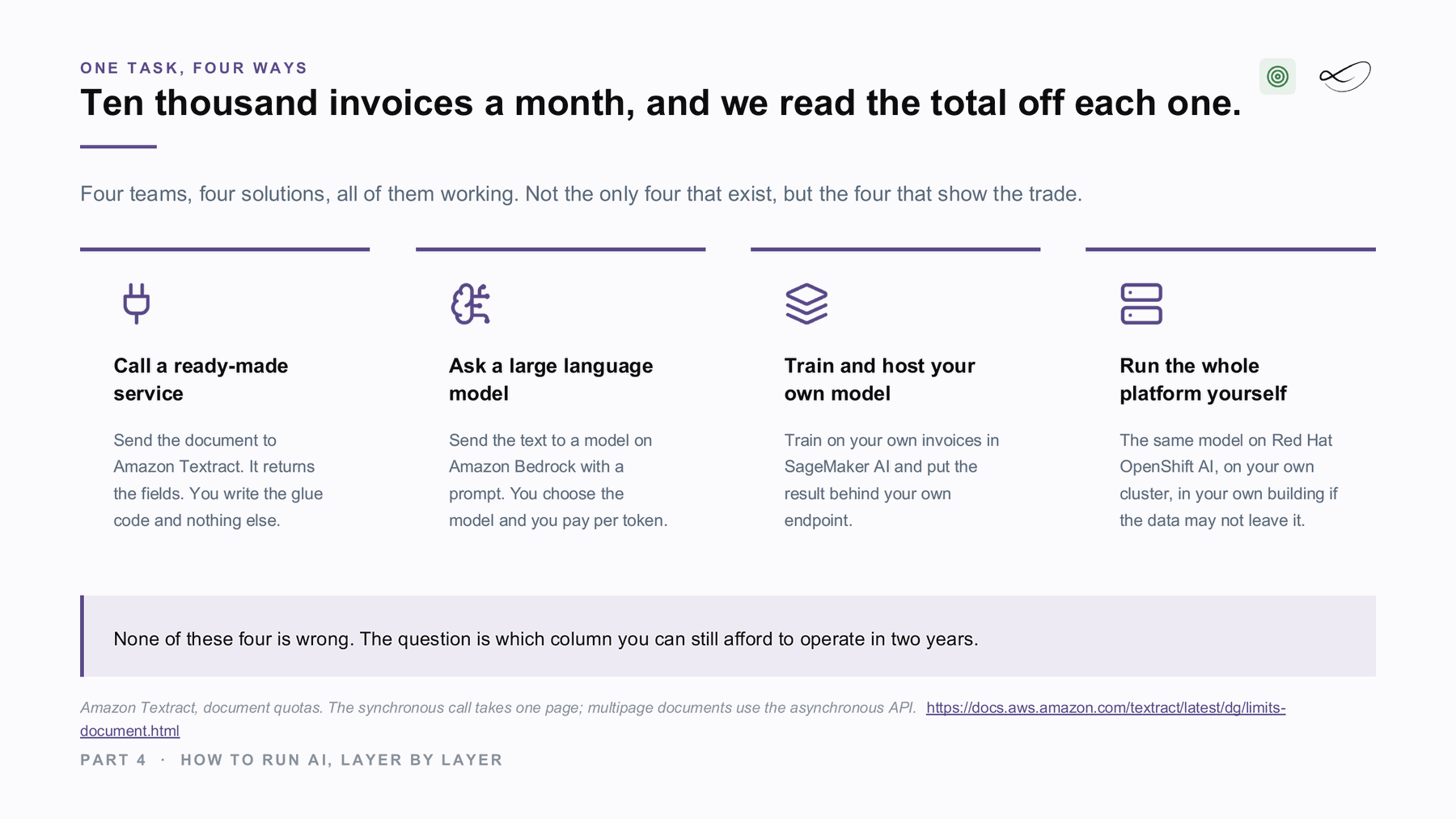
Each of the big clouds offers it as a managed service, and you can also run it yourself. Same task, a different bill and a different console.
Amazon Textract[1]
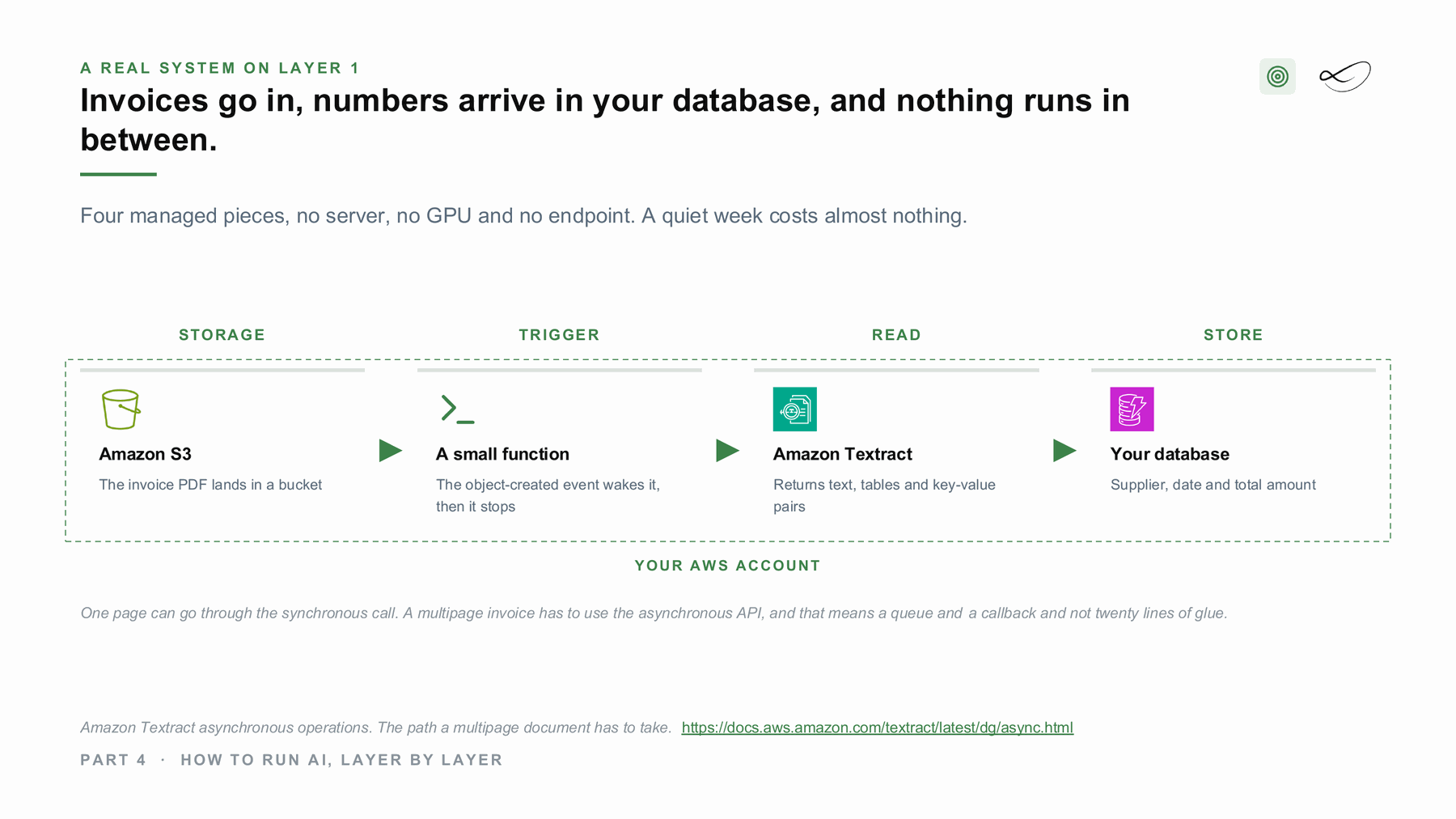
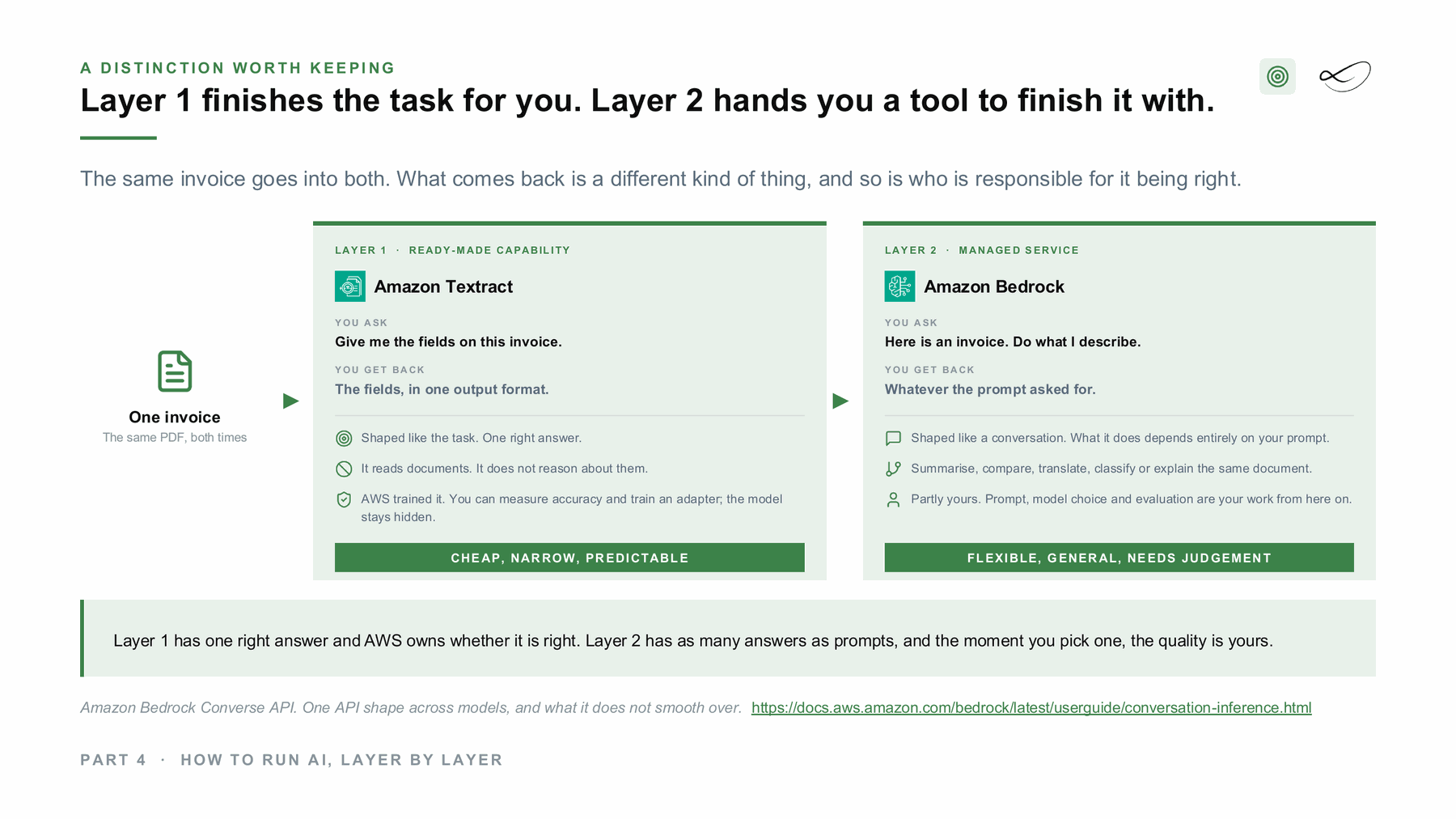
The managed document text and layout extraction service on AWS. Single pages go through a synchronous call; multipage documents use the asynchronous API.
Official documentation →Azure AI Document Intelligence[2]
The managed document extraction service on Microsoft Azure, with prebuilt models for invoices, receipts and IDs.
Official documentation →Document AI[3]
The managed document processing service on Google Cloud.
Official documentation →Tesseract[4]
The long-standing open-source OCR engine, Apache 2.0. It reads the text; the layout logic around it is yours to build.
Project page →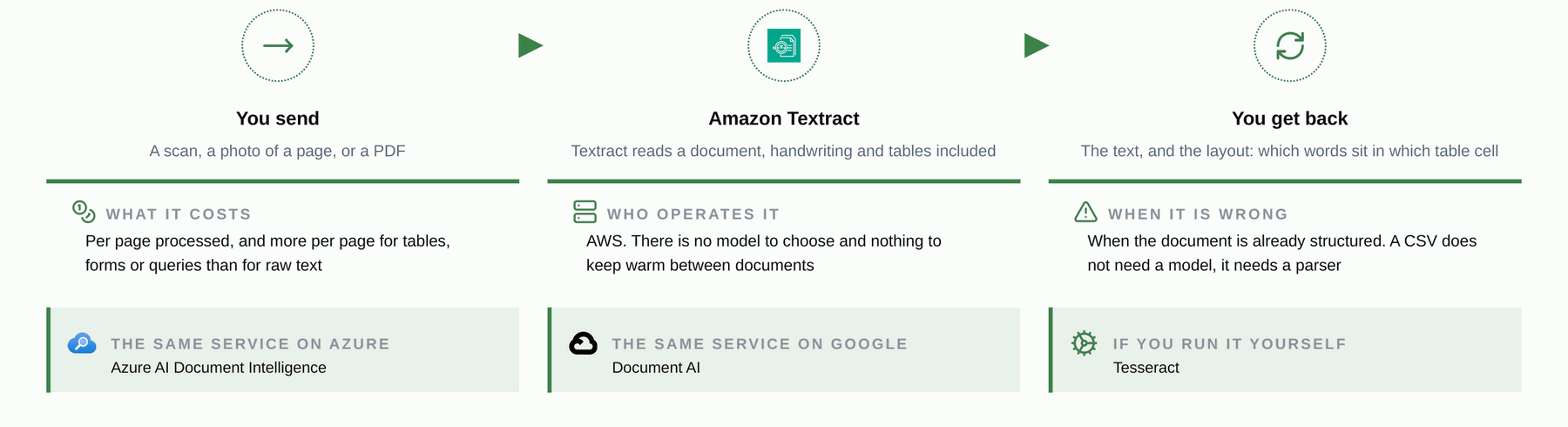
How it looks in an architecture
Slides from my course on AI architectures at FH Burgenland, drawn from real projects.
Where I used it
Document reading is not part of my three reference projects. The invoice architecture above is a worked example from my course, so you can see the pattern before you build it.
Managed and self-hosted together: hybrid
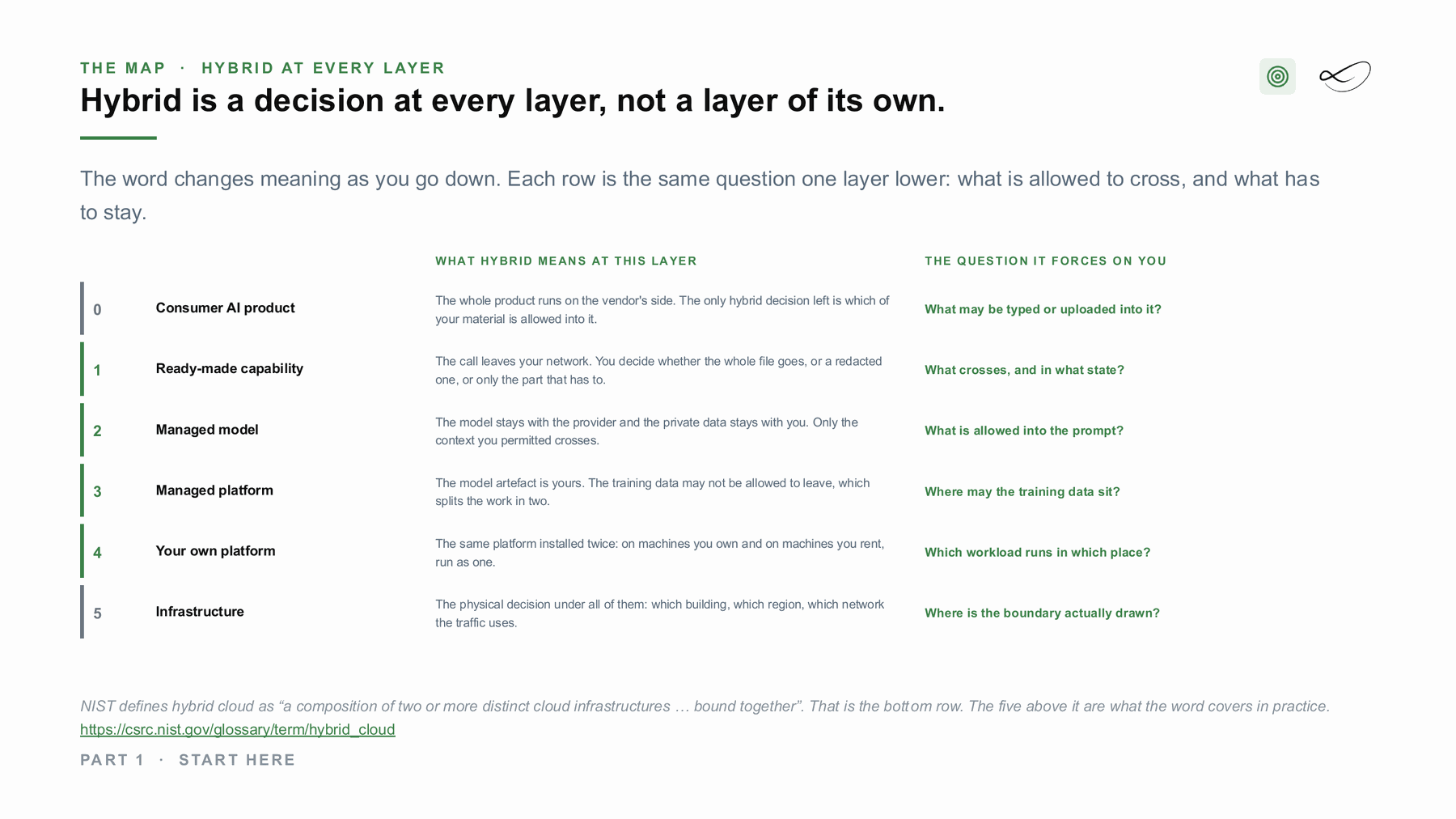
With a ready-made service the call leaves your network. The hybrid decision is what crosses, and in what state: the whole file, a redacted one, or only the part that has to. Where a file may not leave at all, the same step runs with the open-source option inside your building, and only the result, or nothing, crosses.[7]
What would help you next?
Learn to decide
The course “From Managed to Hybrid” teaches where AI should run: what each layer costs, what you operate and where your data has to stay. It is in preparation, with a free live session first.
 Linda Mohamed
AI and cloud consultant, AWS Community Hero, Vienna
Build it with me
Tell me what you want to build. In 30 minutes we check which of the four ways fits your data, your rules and your budget, and whether AWS funding for a proof of concept can cover part of it. How AWS funding works →
You already know what you need
Book the workshop directly:
- AI Concept and Prototype workshops →
Architecture first, priced per service and tested on your data, then a prototype with a go or stop decision. - AI Discovery Workshop →
Sort your ideas into a scored shortlist, so you know which use case to build first.

Read more on ai-solutions.wiki
My open knowledge base, with longer comparisons, pricing notes and sources.
Sources
- Amazon Textract documentation. https://docs.aws.amazon.com/textract/latest/dg/what-is.html
- Azure AI Document Intelligence documentation. https://learn.microsoft.com/en-us/azure/ai-services/document-intelligence/overview
- Document AI documentation. https://cloud.google.com/document-ai/docs
- Tesseract. https://github.com/tesseract-ocr/tesseract
- Linda Mohamed, course slides “The projects”, MASE-3, FH Burgenland, September 2026
- Linda Mohamed, course slides “How to run AI, layer by layer”, MASE-3, FH Burgenland, September 2026
- NIST glossary: hybrid cloud. https://csrc.nist.gov/glossary/term/hybrid_cloud
- Linda Mohamed, course slides “Start here”, MASE-3, FH Burgenland, September 2026
- Amazon Textract, ai-solutions.wiki. https://ai-solutions.wiki/tools/amazon-textract/
- Azure AI Document Intelligence, ai-solutions.wiki. https://ai-solutions.wiki/tools/azure-form-recognizer/
- Textract vs Comprehend, ai-solutions.wiki. https://ai-solutions.wiki/comparisons/textract-vs-comprehend/
- Pre-built AI services vs foundation models, ai-solutions.wiki. https://ai-solutions.wiki/comparisons/prebuilt-ai-services-vs-foundation-models/
- Amazon Textract asynchronous operations, AWS documentation. https://docs.aws.amazon.com/textract/latest/dg/async.html
Links checked September 2026. Product names and features change: check the linked pages before you decide.