
Machine translation: text from one language into another
Neural machine translation moves text between languages at a fixed price per character, and respects a glossary of terms you insist on.


What is machine translation?
A translation service takes text plus a source and target language and returns the translation. Custom terminology, a glossary of your product names and fixed terms, is the part worth maintaining: it is why your names survive the translation.
It feels like a model problem, and it is a product you call. For legal or medical documents, machine translation is a draft, never the final text.
Four ways to run it
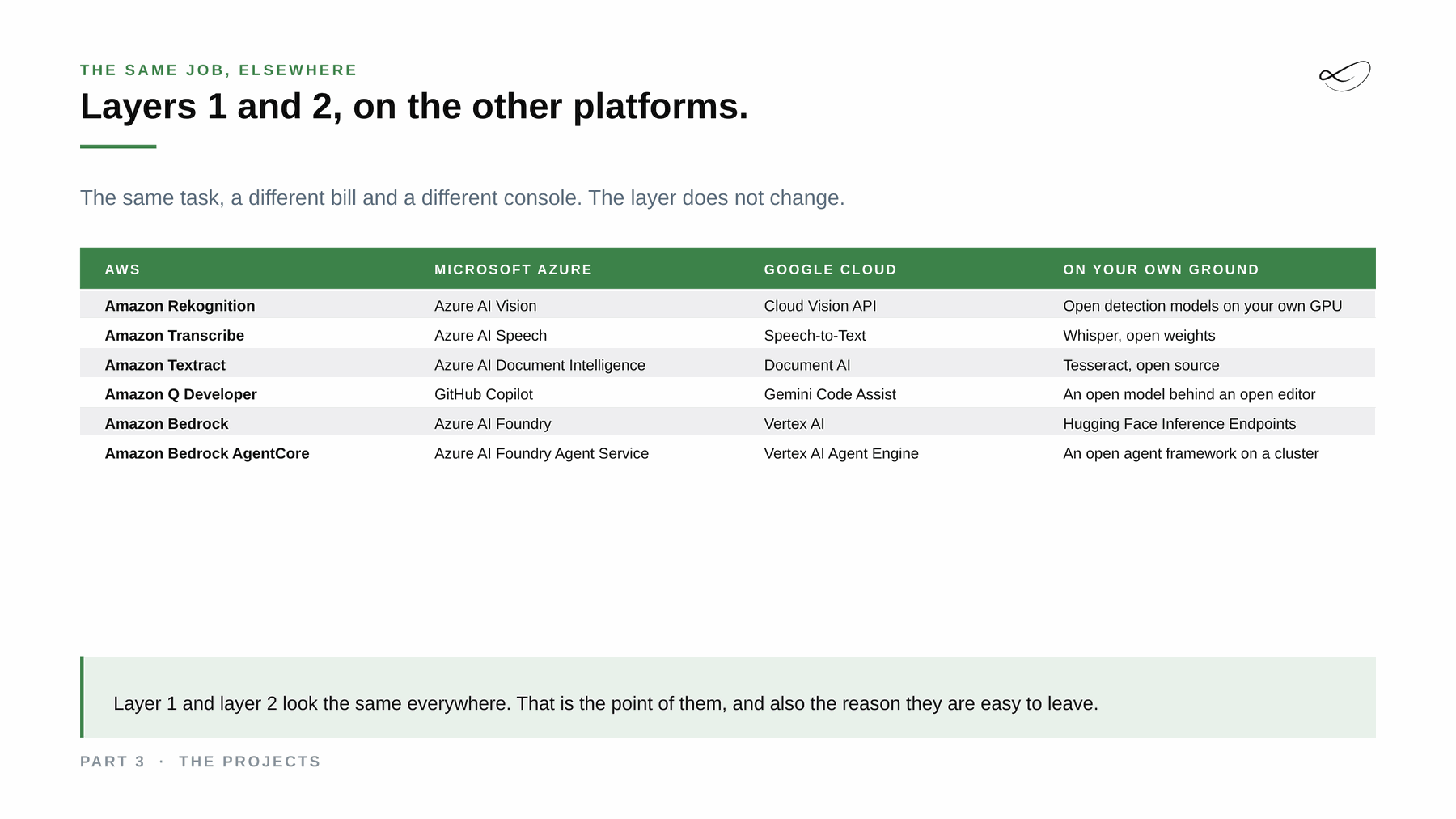
Each of the big clouds offers it as a managed service, and you can also run it yourself. Same task, a different bill and a different console.
Amazon Translate[1]
The managed neural translation service on AWS, priced per character, with custom terminology at no extra cost.
Official documentation →Azure AI Translator[2]
The managed translation service on Microsoft Azure, for text and documents.
Official documentation →Cloud Translation[3]
The managed translation API on Google Cloud.
Official documentation →NLLB or Opus-MT[4]
Open translation models you run yourself. Check the licence per model: Meta's NLLB-200 is licensed CC BY-NC 4.0, non-commercial; Opus-MT models from the University of Helsinki are published per language pair, for example Apache 2.0.
Project page →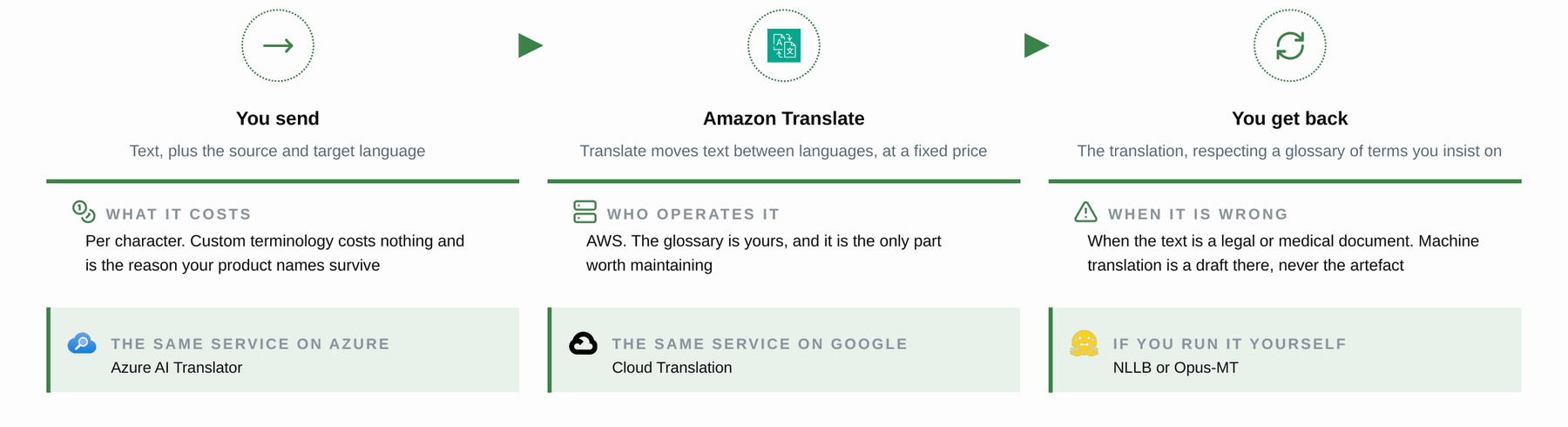
Where I used it
Translation is not part of my three reference projects. One thing I do see often: teams fine-tuning a model for translation, where a managed service with a glossary would do.
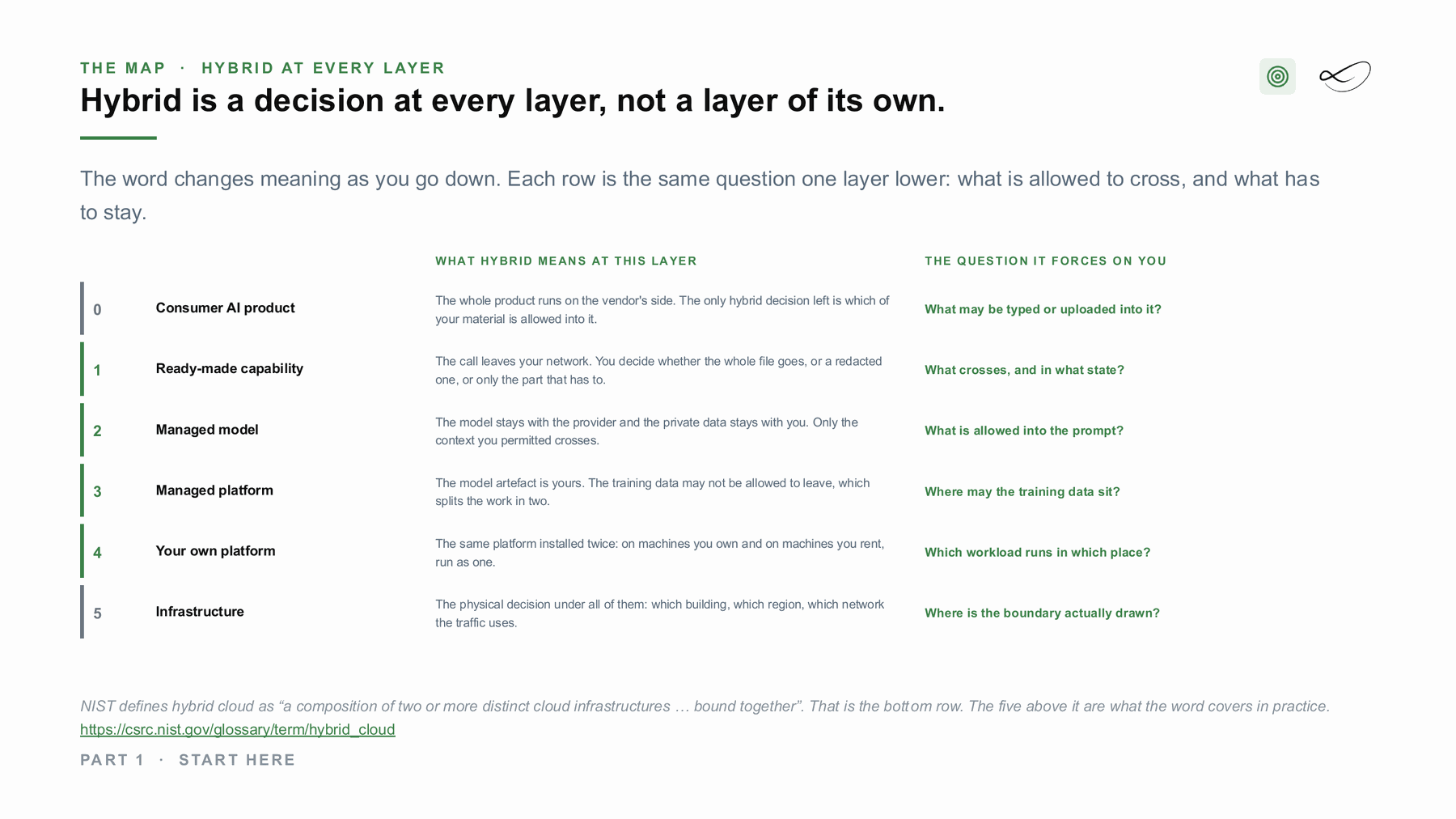
Managed and self-hosted together: hybrid
With a ready-made service the call leaves your network. The hybrid decision is what crosses, and in what state: the whole file, a redacted one, or only the part that has to. Where a file may not leave at all, the same step runs with the open-source option inside your building, and only the result, or nothing, crosses.[7]
What would help you next?
Learn to decide
The course “From Managed to Hybrid” teaches where AI should run: what each layer costs, what you operate and where your data has to stay. It is in preparation, with a free live session first.
 Linda Mohamed
AI and cloud consultant, AWS Community Hero, Vienna
Build it with me
Tell me what you want to build. In 30 minutes we check which of the four ways fits your data, your rules and your budget, and whether AWS funding for a proof of concept can cover part of it. How AWS funding works →
You already know what you need
Book the workshop directly:
- AI Concept and Prototype workshops →
Architecture first, priced per service and tested on your data, then a prototype with a go or stop decision. - AI Discovery Workshop →
Sort your ideas into a scored shortlist, so you know which use case to build first.

Read more on ai-solutions.wiki
My open knowledge base, with longer comparisons, pricing notes and sources.
Sources
- Amazon Translate documentation. https://docs.aws.amazon.com/translate/latest/dg/what-is.html
- Azure AI Translator documentation. https://learn.microsoft.com/en-us/azure/ai-services/translator/overview
- Cloud Translation documentation. https://cloud.google.com/translate/docs
- NLLB or Opus-MT. https://huggingface.co/Helsinki-NLP/opus-mt-de-en
- Linda Mohamed, course slides “The projects”, MASE-3, FH Burgenland, September 2026
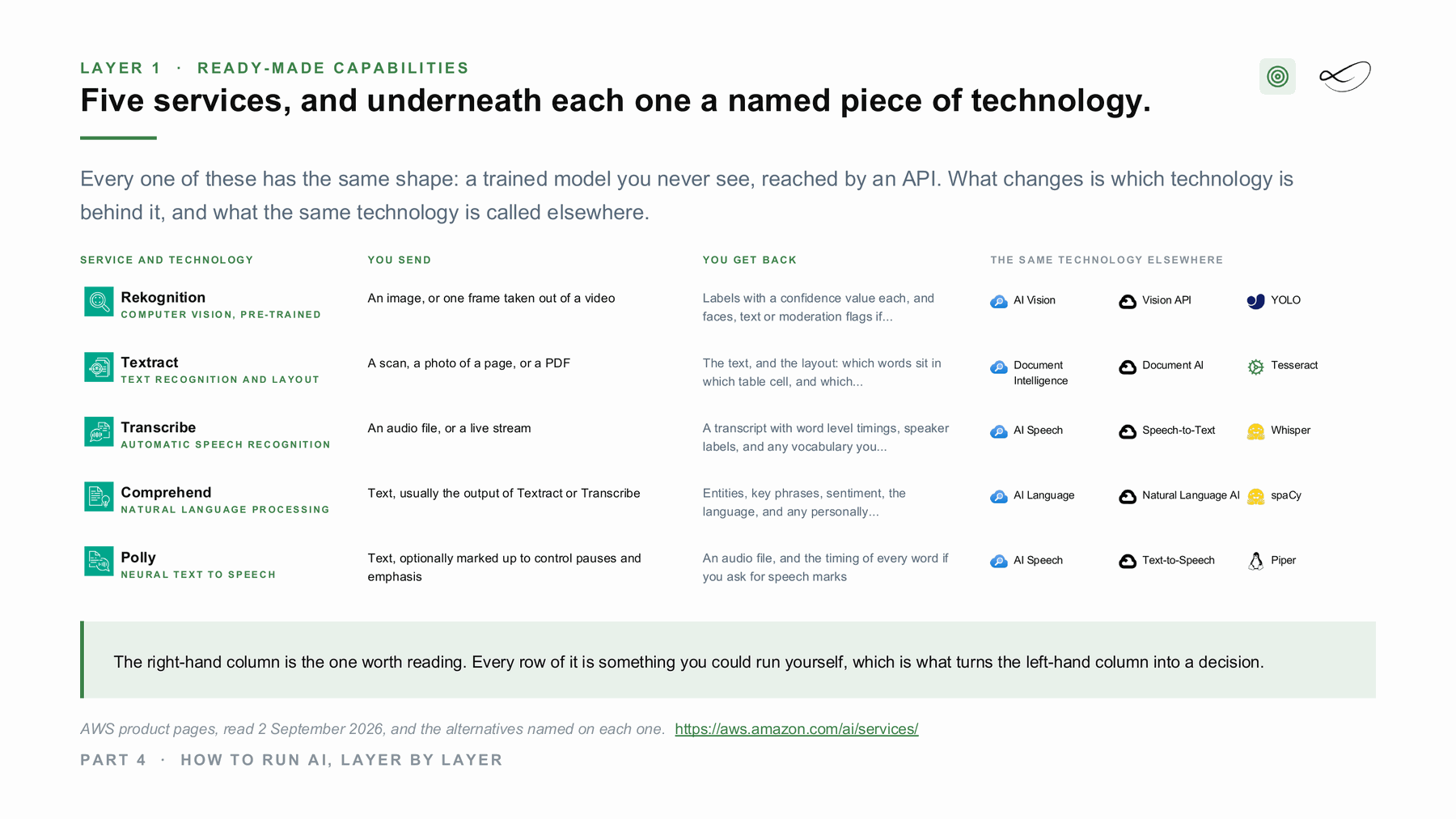
- Linda Mohamed, course slides “How to run AI, layer by layer”, MASE-3, FH Burgenland, September 2026
- NIST glossary: hybrid cloud. https://csrc.nist.gov/glossary/term/hybrid_cloud
- Linda Mohamed, course slides “Start here”, MASE-3, FH Burgenland, September 2026
- Amazon Translate, ai-solutions.wiki. https://ai-solutions.wiki/tools/amazon-translate/
- Azure Translator, ai-solutions.wiki. https://ai-solutions.wiki/tools/azure-translator/
- Hugging Face, ai-solutions.wiki. https://ai-solutions.wiki/tools/huggingface/
- NLLB-200 model card, licence CC BY-NC 4.0. https://huggingface.co/facebook/nllb-200-distilled-600M
Links checked September 2026. Product names and features change: check the linked pages before you decide.