From Transcript to Finished Deck in One Working Session
May 05, 2026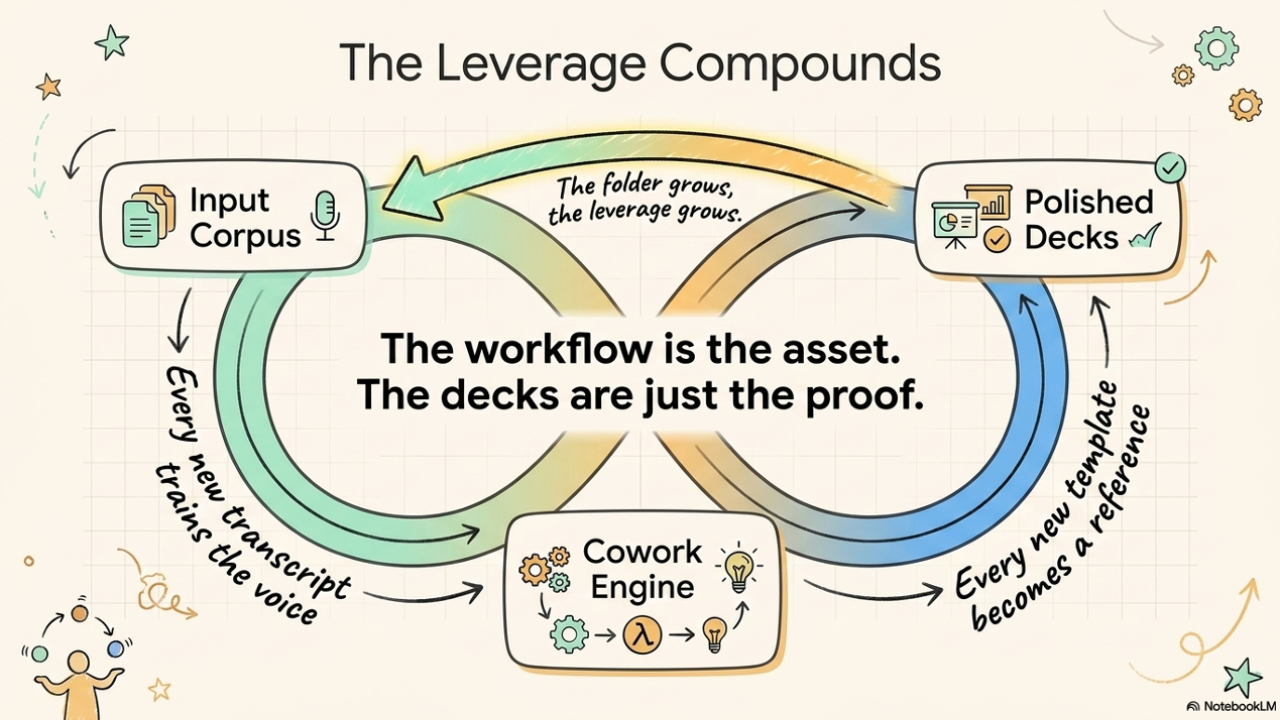
How I use Claude Cowork and the PPTX skill to compress what used to be a five-day production cycle into a single afternoon - for my own talks and for my consulting clients.
Last week I gave a talk in Athens. This week I will deliver another one in Istanbul. Next month there are two more on the calendar, plus three client decks that need to ship before quarter-end.
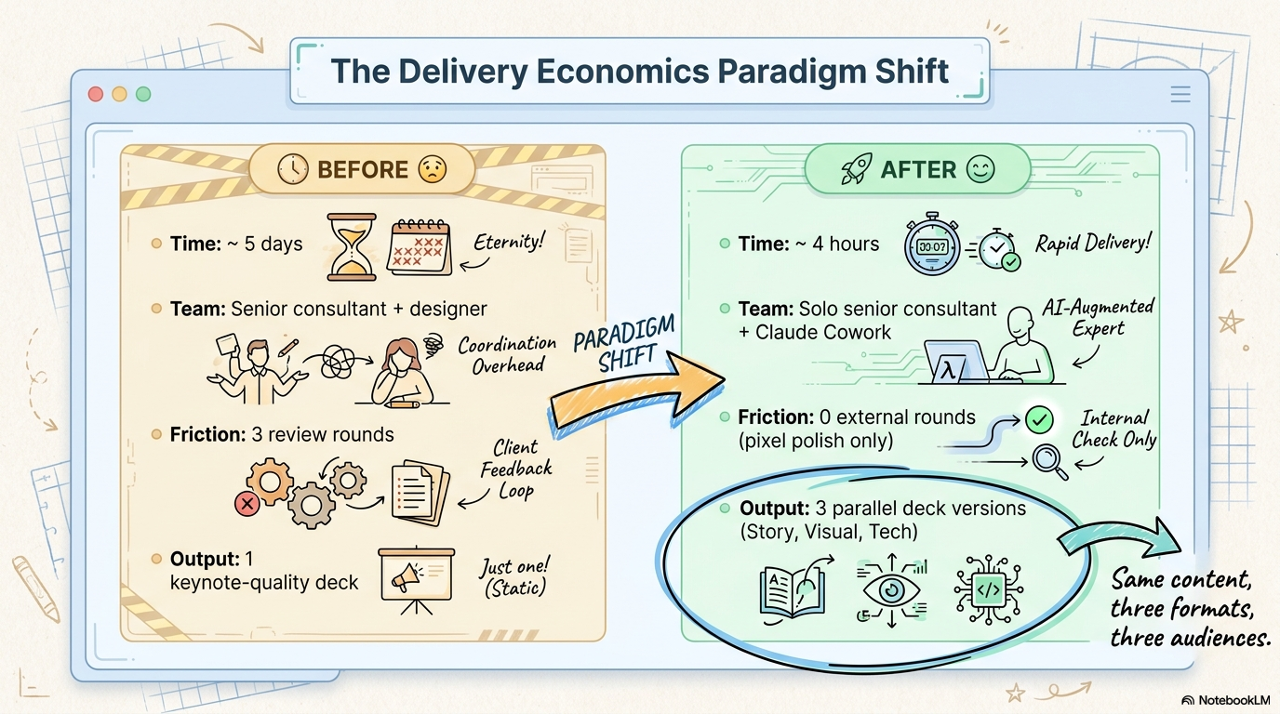
This kind of cadence used to be impossible for me. A single keynote-quality deck would eat a full week: pulling content out of meeting notes, wrestling with the brand template, redesigning slides ten times, building architecture diagrams in PowerPoint by hand, then doing a copy-edit pass before sending it off. For client engagements - whether under my own AION brand, with EBCONT, with ViRTU, or for one of the several partner co-branded decks I have built recently - it was even worse, because every client has their own template, their own iconography, their own design rules. You cannot just reuse the last deck.
Today the same work takes me one focused afternoon. Not because I cut corners - the decks are denser, more accurate, and more on-brand than they used to be. The leverage comes from how I work with Claude Cowork.
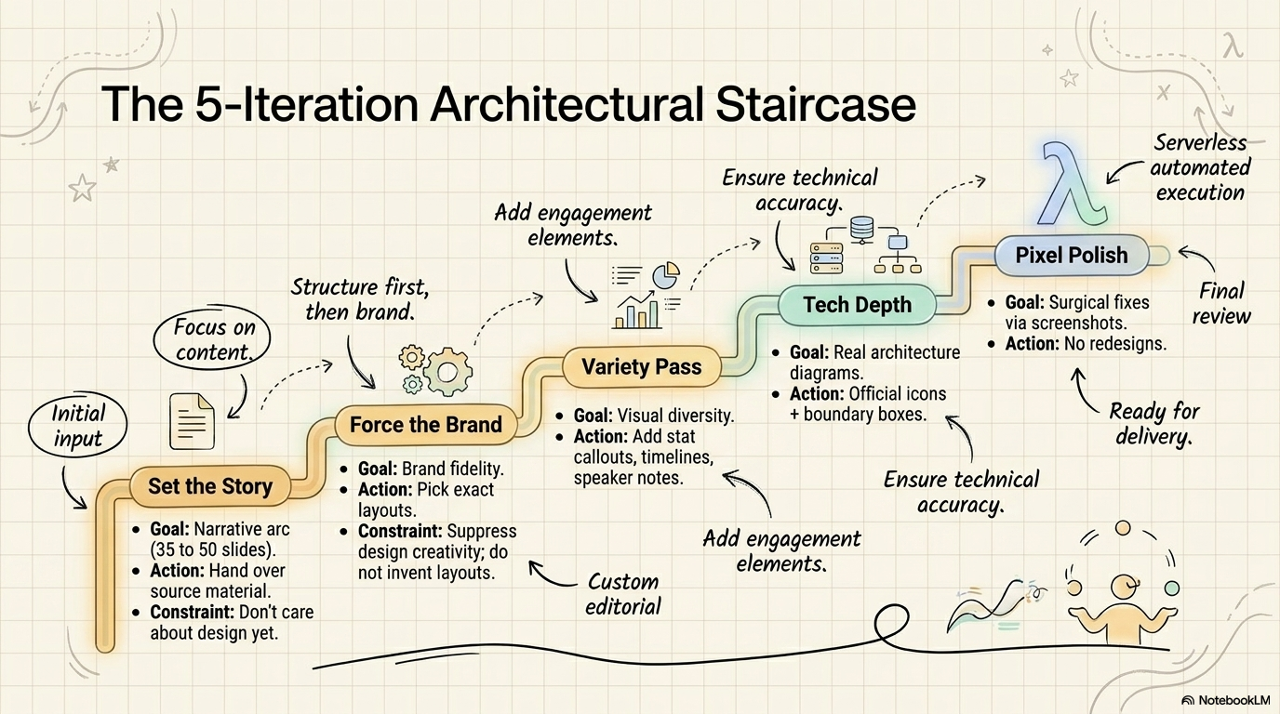
I get this question a lot, especially from other consultants and AI practice leads who see the output and want to understand the workflow. So here is the full breakdown - what Cowork actually is, what the PPTX skill does, what I bring to the table, and the 5-iteration model that gets me from raw transcript to keynote-ready deliverable.
What Claude Cowork actually is
Claude Cowork is the desktop mode of Claude. The important difference from a normal chat session - or from any other AI chat product - is that Cowork has direct read-and-write access to a folder on my computer and can run code in a sandboxed Linux environment. It is not a chat interface for thinking out loud. It is a production engine.
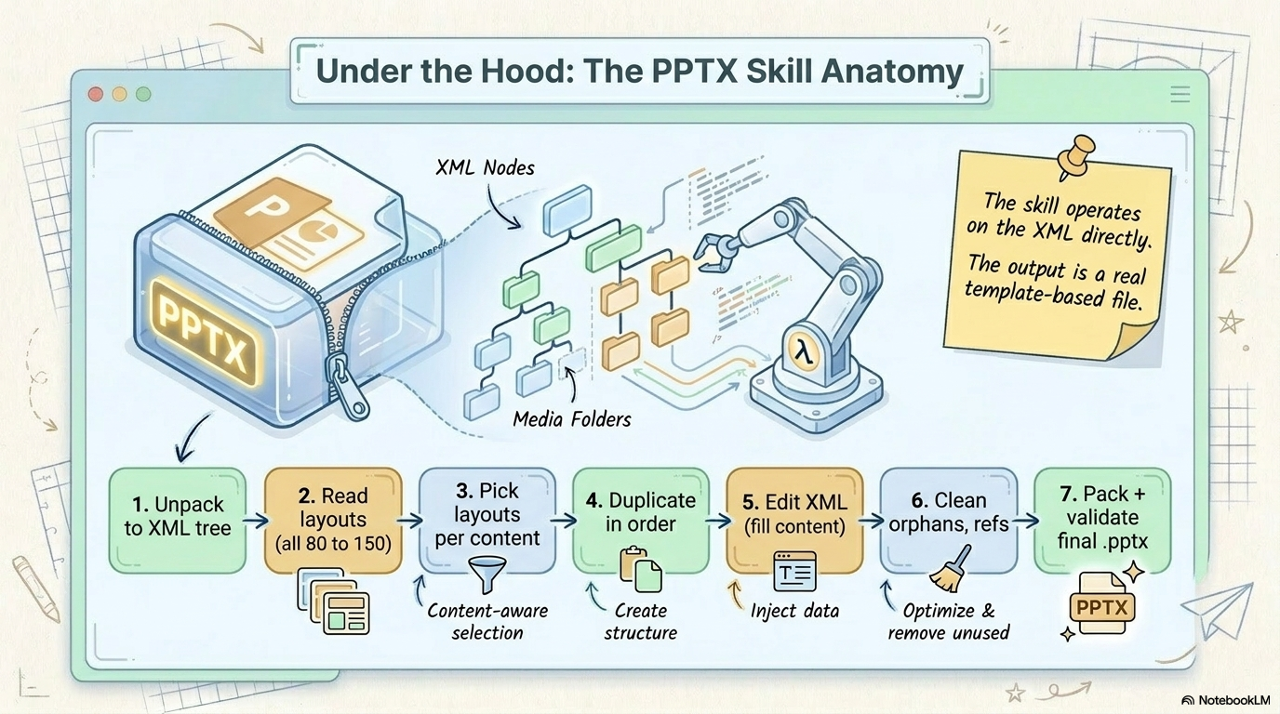
.pptx file - including the underlying XML structure, the embedded images, the layout references, and the relationships that PowerPoint validates on open. That is the difference between "AI helped me think about my deck" and "AI delivered the deck".What the PPTX skill does under the hood
The PPTX skill is the engine that does the actual PowerPoint work inside Cowork. A PowerPoint file is not magic - it is a ZIP archive containing XML files that describe each slide, each layout, each shape, each icon. The skill knows how to handle that structure properly.
For architecture diagrams the skill goes one step deeper: it can draw real diagrams - boundary boxes, labeled icons, connection arrows - by inserting custom XML shapes into a blank-canvas template slide. So I get diagrams in the client's brand, on the client's template, with the client's icon library, drawn correctly. Not bolted on top of an existing layout's icon placeholders.
What I actually bring as input
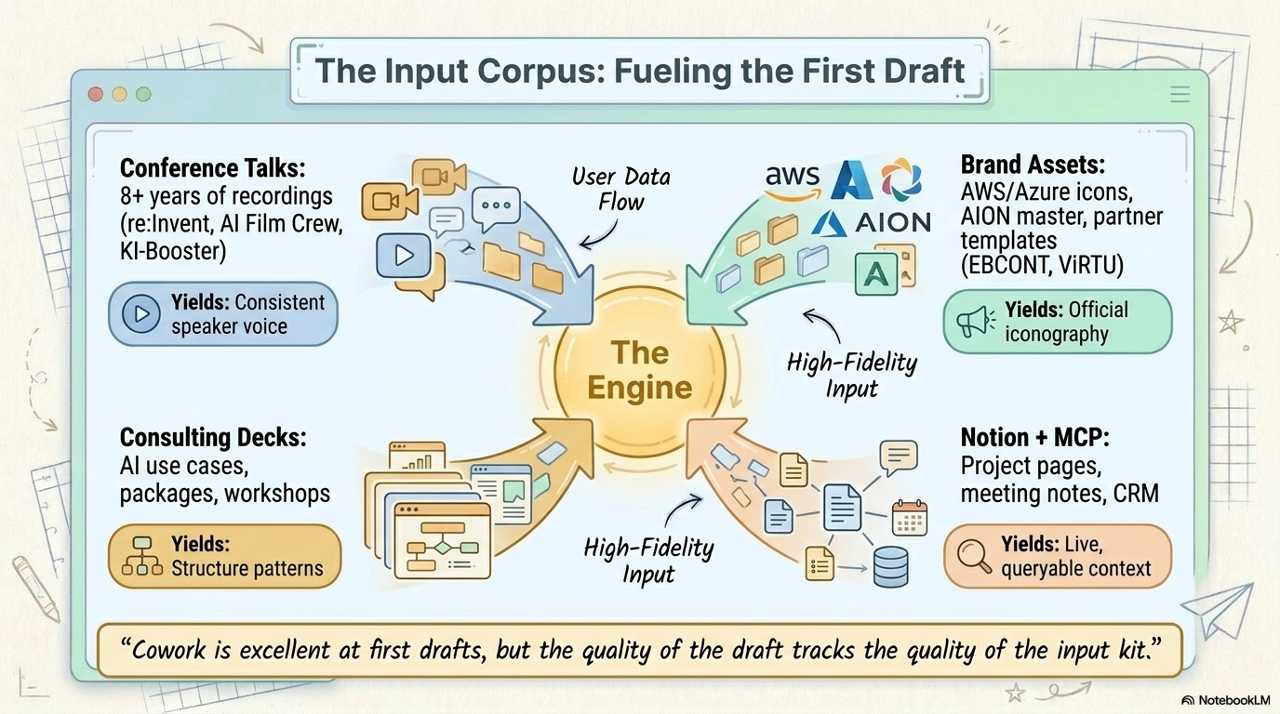
This is the part that most people underestimate. Cowork is excellent at first drafts, but the quality of the first draft tracks the quality of the input kit. Over the years I have built up an unusually rich corpus that I now feed into every session.
Why the same workflow works for both my own talks and client work
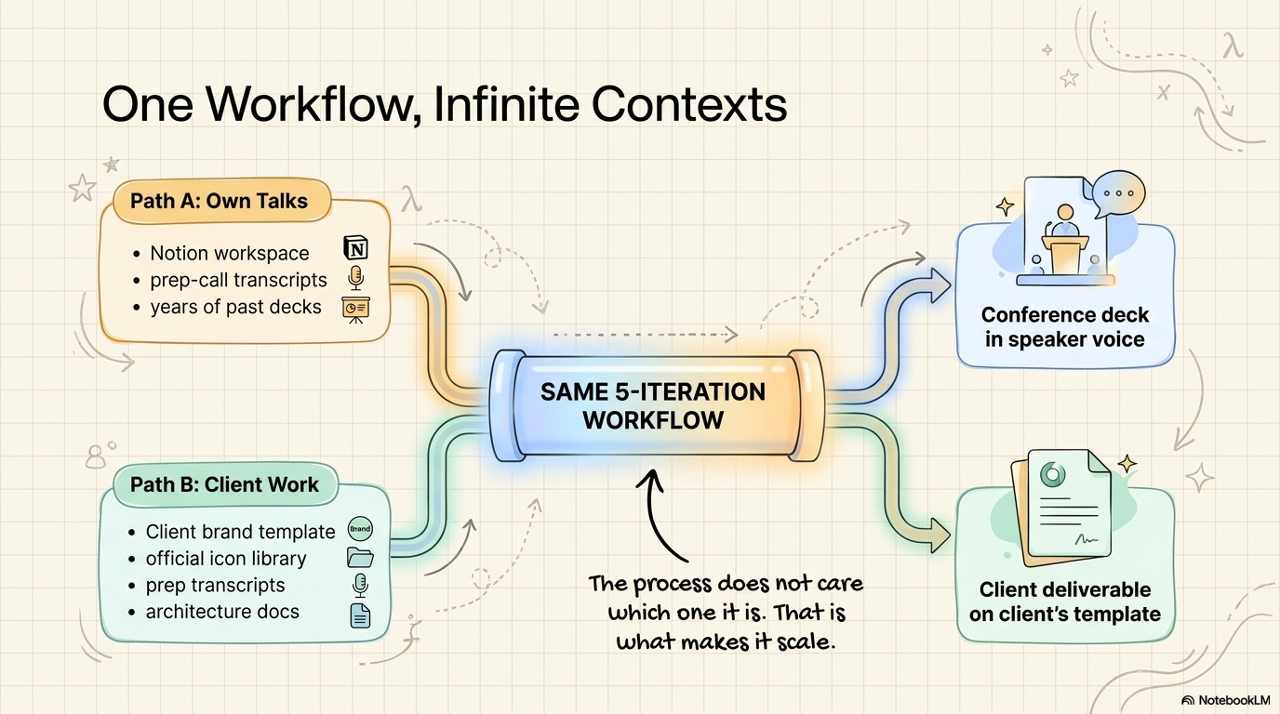
The key thing: this is not a "client work" workflow or a "personal speaking" workflow. It is one workflow. The same five steps, the same iteration model, the same prompt patterns. What changes between use cases is the input kit.
For my own AION-branded talks: Notion + transcripts + years of past decks. For client engagements: their brand template, their icon library, our prep-call recordings, their architecture docs. For partner co-branded engagements: both worlds at once. The process does not care which one it is. That is what makes it scale.
The 5 iterations - what each one actually does
The parallel-versions trick
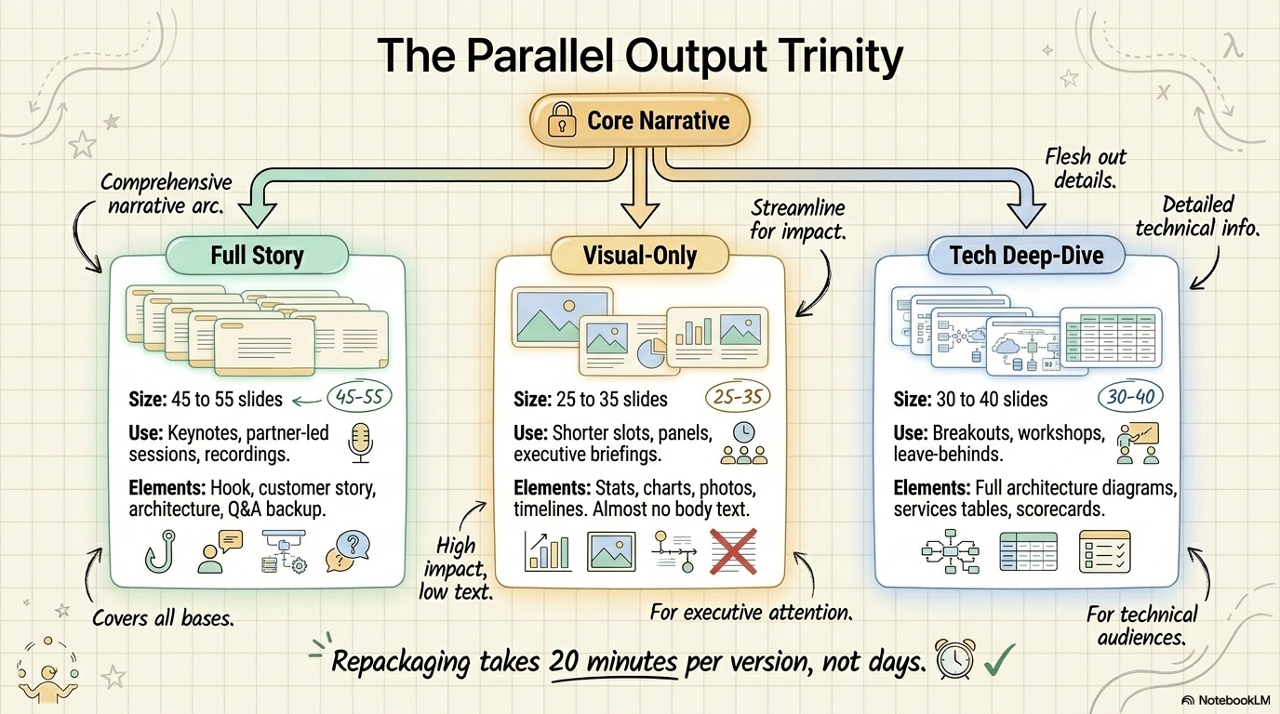
One more thing I do that genuinely changes the economics: I generate three parallel versions of every important deck. Once the technical content is locked in iteration 4, asking Cowork to repackage it for different formats takes about 20 minutes per version, not days.
For Athens last week I built all three. For Istanbul yesterday I used the visual version because the slot was tighter. For an upcoming engagement I am running the same playbook on a completely different topic next week. Same process. Same prompts. Different inputs, different outputs.
What this changes about the work
The honest summary: I now spend my time on the parts of the work that actually create value - listening to the prep call, structuring the narrative arc, making the architectural decisions, writing the briefing prompt that captures all of it precisely, and doing the QA review where my eye for visual detail makes the difference. I do not spend time anymore on hand-placing icons one slide at a time, hunting through 122-slide templates, building tables row by row in PowerPoint's editor, or restyling everything when a client sends a brand update.
Why this matters for consulting practices and enterprise AI teams
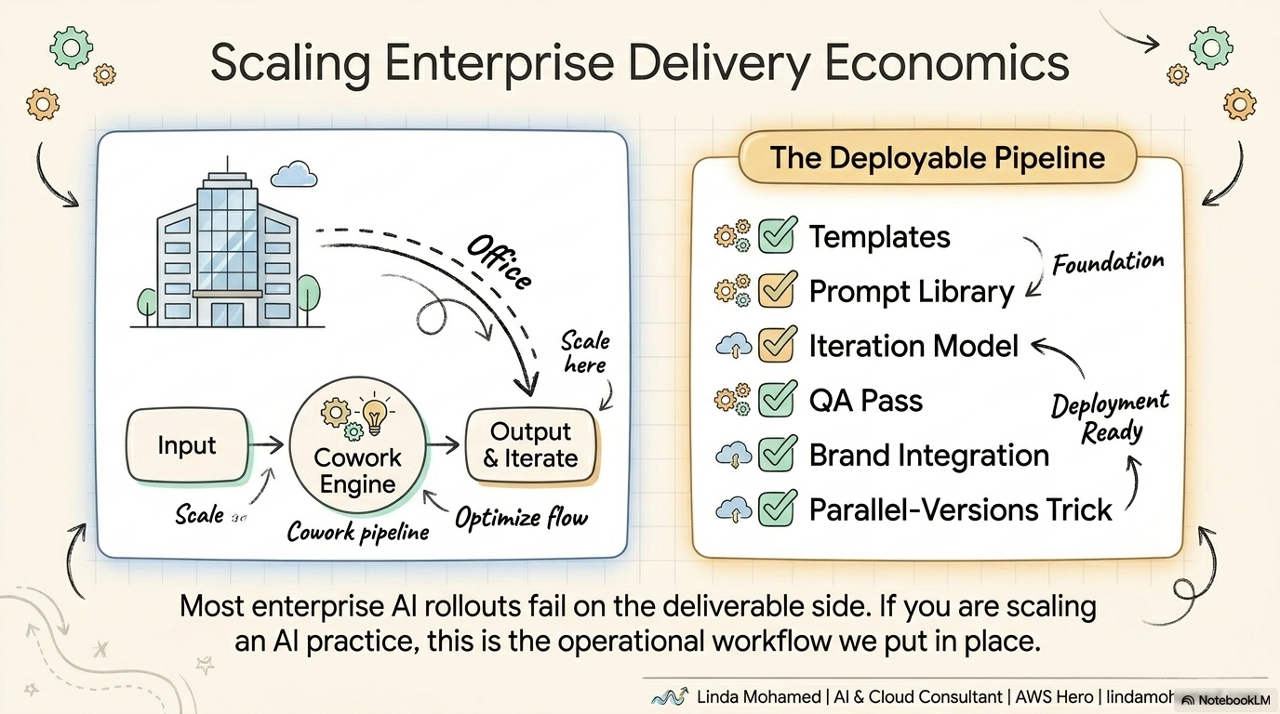
Most enterprise AI rollouts I see do not fail on the model side. They fail on the deliverable side. Decision makers want decks, briefs, runbooks, and one-pagers that look like they came from an internal team - on the client's brand, with their layouts, with the right level of technical depth for the audience.
That is exactly the gap this workflow closes. One senior consultant plus Cowork can output what previously needed a dedicated presentation designer plus a junior consultant plus three rounds of feedback. The senior stays in the value-creating work - story, architecture, decisions - and the production layer is automated.
If you are scaling an enterprise AI practice or running a consulting firm and this kind of production capability would change your delivery economics, this is the kind of operational workflow I help teams put in place: the templates, the prompt library, the iteration model, the QA pass, the integration with their existing brand assets, the parallel-versions trick, and the supporting Cowork skills that automate the production layer.
The workflow is the asset. The decks are just the proof.
Want this workflow inside your team?
If you are scaling an enterprise AI practice or running a consulting firm and this kind of production capability would change your delivery economics, let's scope it. I help teams put the full pipeline in place - templates, prompt library, iteration model, QA pass, integration with existing brand assets, the parallel-versions trick, and the supporting Cowork skills that automate the production layer.
Get in touch