


AI tools, family by family
The AI tools people open every day: what each family contains, which model runs, what you can configure, what happens to your data in the EU, and how the same models run in your own cloud account.
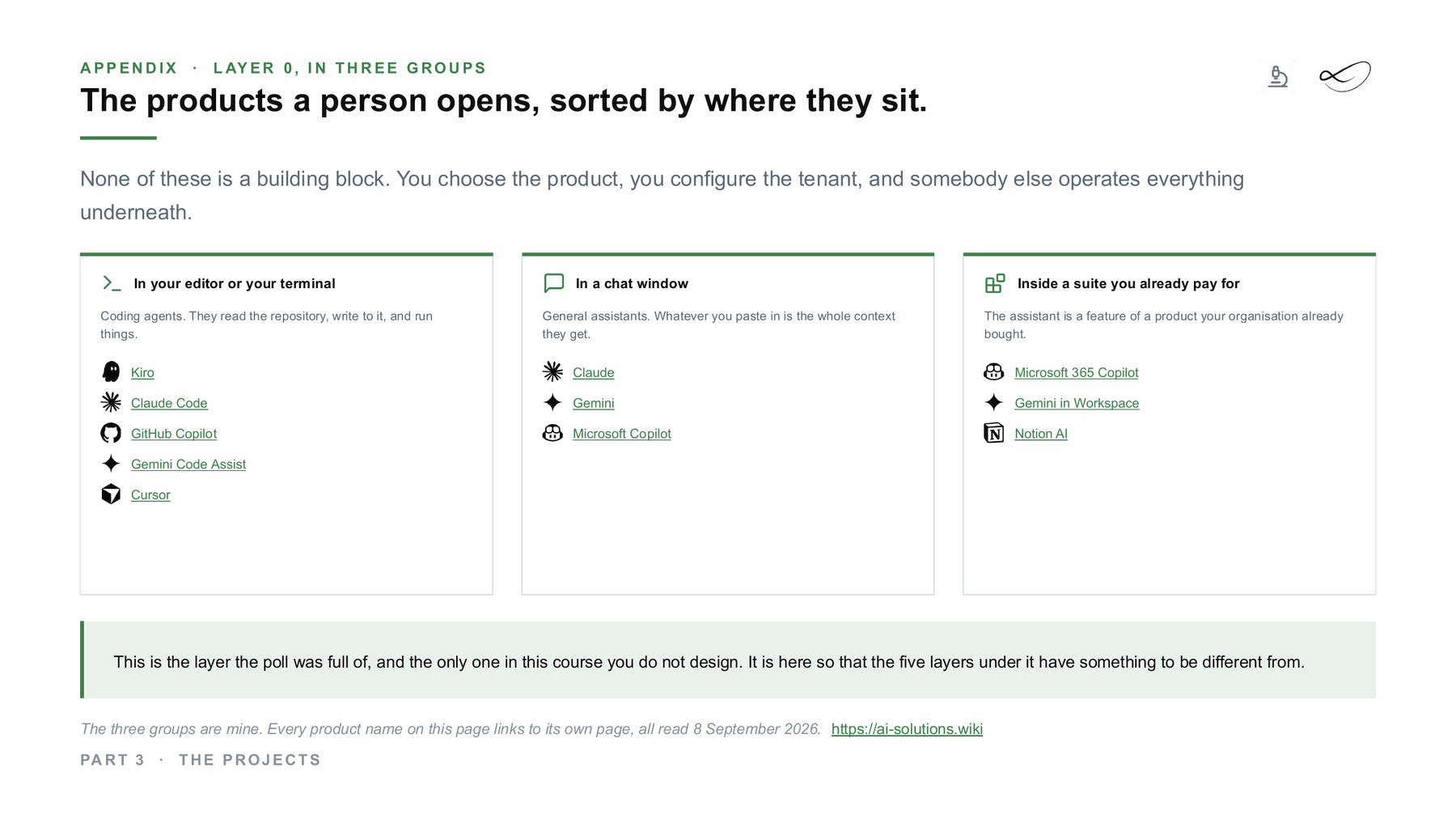
In a chat window
General assistants and agent apps. What you give them is the context they get.


Claude
Claude is Anthropic's family of AI models. You use them in the Claude apps, in agent products such as Claude Code and Cowork, through the API, or through Amazon, Google Cloud and Microsoft.
Read more →
ChatGPT
ChatGPT is OpenAI's assistant, with Chat for conversations and Work for longer tasks. Codex is its coding agent, and the OpenAI API serves the same models to developers.
Read more →Inside a suite you already pay for
The assistant is a feature of a product your organisation already bought.


Gemini
Gemini is Google's model family and the products built on it: a chat app, AI inside Google Workspace, a research notebook, coding agents and an enterprise platform on Google Cloud.
Read more →

Microsoft Copilot
Copilot is Microsoft's name for the AI assistants inside its own products: Windows, Edge, Microsoft 365, the Power Platform, the security tools and GitHub.
Read more →Notion AI
Notion AI is the AI built into the Notion workspace. It writes and edits pages, answers questions from your workspace and connected apps, takes meeting notes and runs agents.
Read more →In your editor, terminal or notebook
Coding agents and notebooks. They read your code, write to it and run things.


Kiro
Kiro is the coding agent from AWS. It turns a prompt into a written spec first, and then writes the code.
Read more →Cursor
Cursor is a code editor with its own coding agent. The same agent also runs in the cloud, in the terminal and on iOS.
Read more →
Continue
Continue is an open-source coding assistant under Apache 2.0 for VS Code, JetBrains and the terminal. Cursor acquired it in 2026, and its repository is now read-only.
Read more →
Google Colab
Colab is Google's hosted Jupyter notebook service. It ranges from a free version with GPUs and Gemini help to Colab Enterprise, which runs in your own Google Cloud project and region.
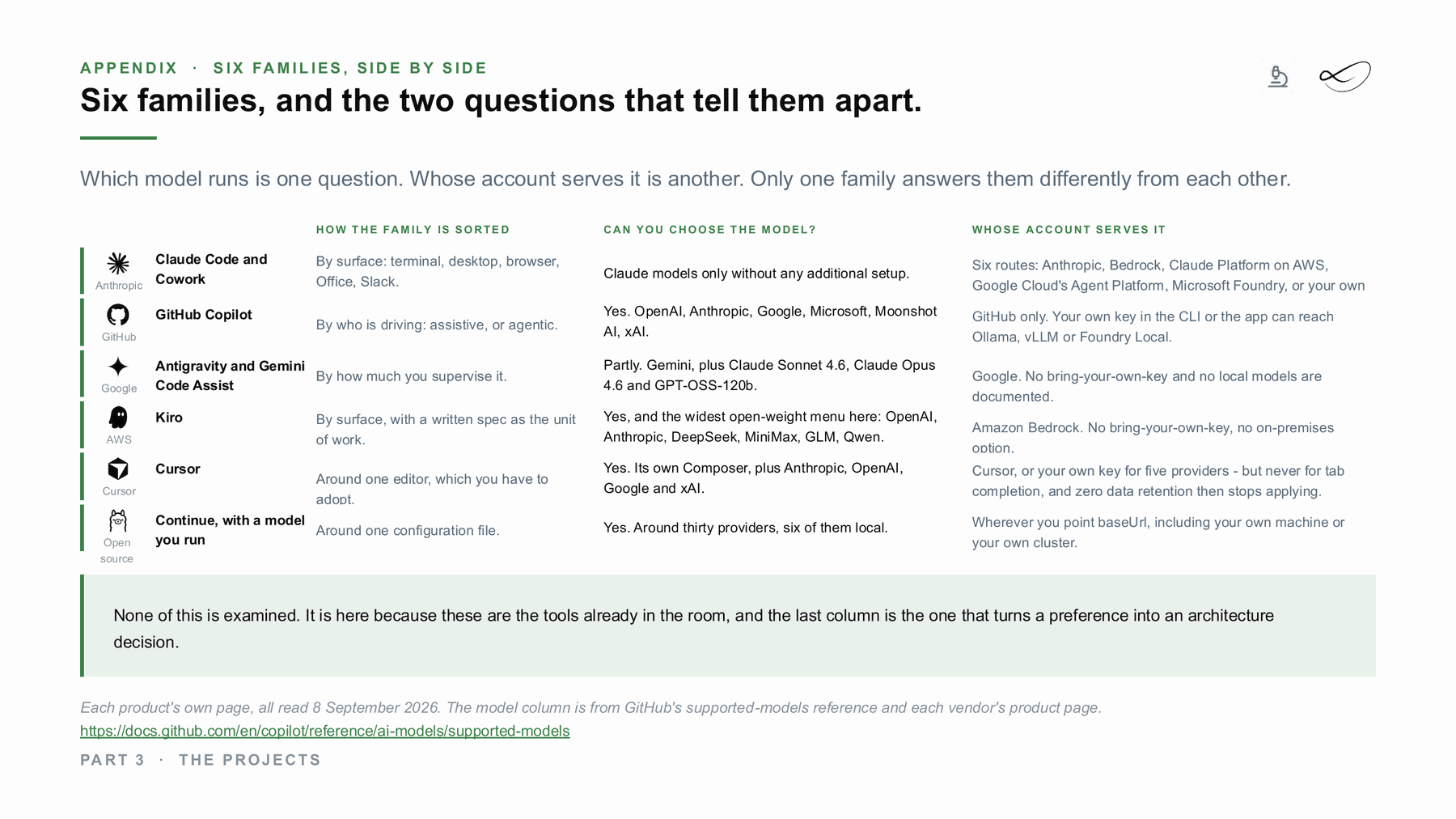
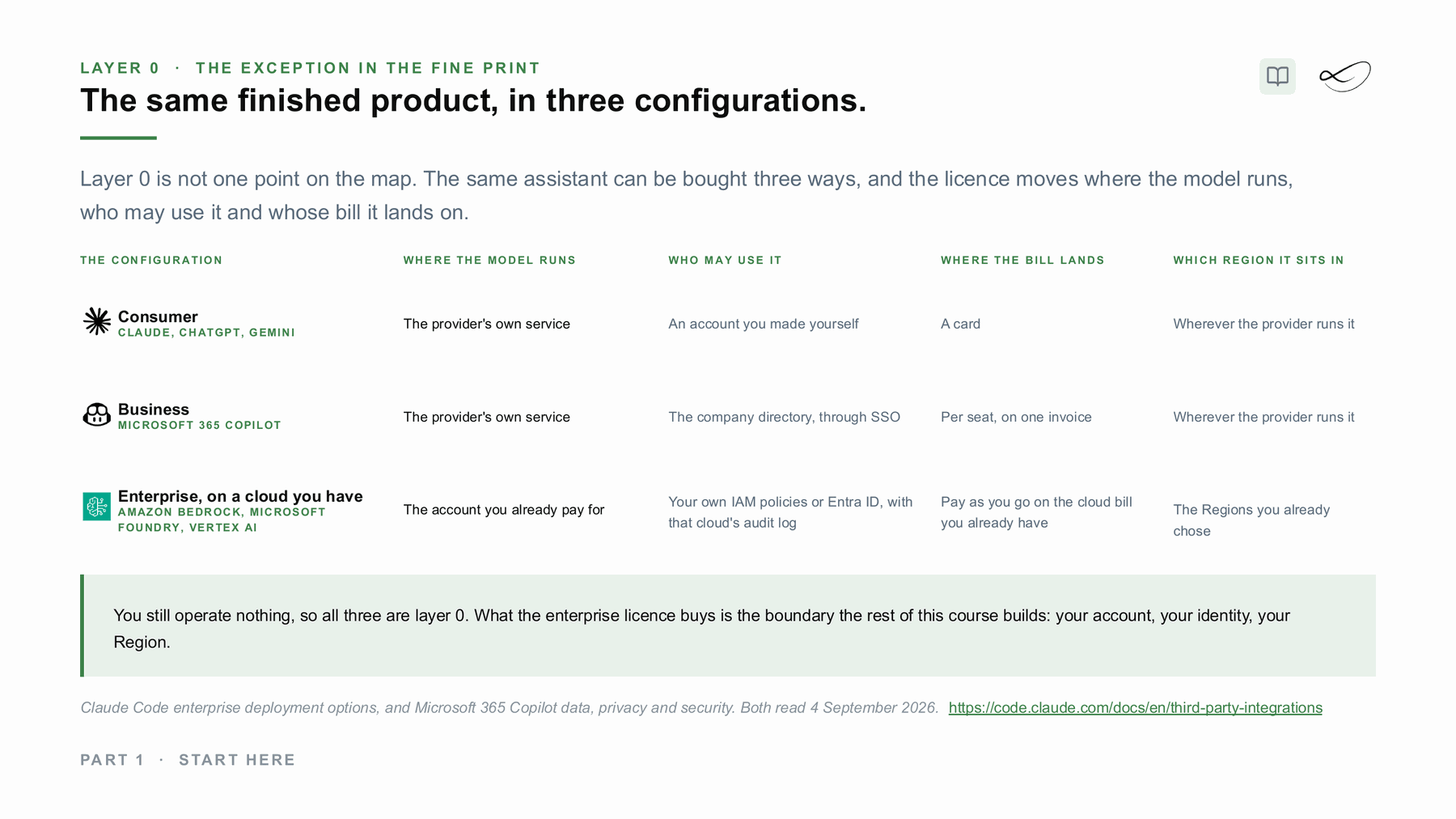
Read more →Which model runs is one question. Whose account serves it is another.
The same model can come from the vendor's own service, from a business plan with admin controls, or from your own AWS, Google Cloud or Azure account in the region you chose. The licence decides the contract, the region and the bill.
What would help you next?
Learn to decide
The course “From Managed to Hybrid” shows where AI should run: what each layer costs, what you operate and where your data has to stay. In preparation, with a free live session first.
 Linda Mohamed
AI and cloud consultant, AWS Community Hero, Vienna
Roll it out with me
Tell me which tools your teams use or want. In 30 minutes we look at plans, settings, data rules and whether AWS funding can cover part of a pilot. How AWS funding works →
You already know what you need
Book a workshop directly:
- AI Enablement Workshop →
One workshop for one role, up to 12 people: how your team uses these tools well, and what stays inside the rules. - AI Discovery Workshop →
Sort your ideas into a scored shortlist, so you know which use case is worth more than a tool licence. - Strands Agents Workshop →
One day for developers: build a working agent system with custom tools, MCP and agent-to-agent communication.
Sources
- Linda Mohamed, course slides “The projects”, appendix layer 0, MASE-3, FH Burgenland, September 2026
- Linda Mohamed, course slides “Start here”, MASE-3, FH Burgenland, September 2026
Checked against the vendors' own pages in September 2026. Plans, models and features change often: check the linked pages before you decide.